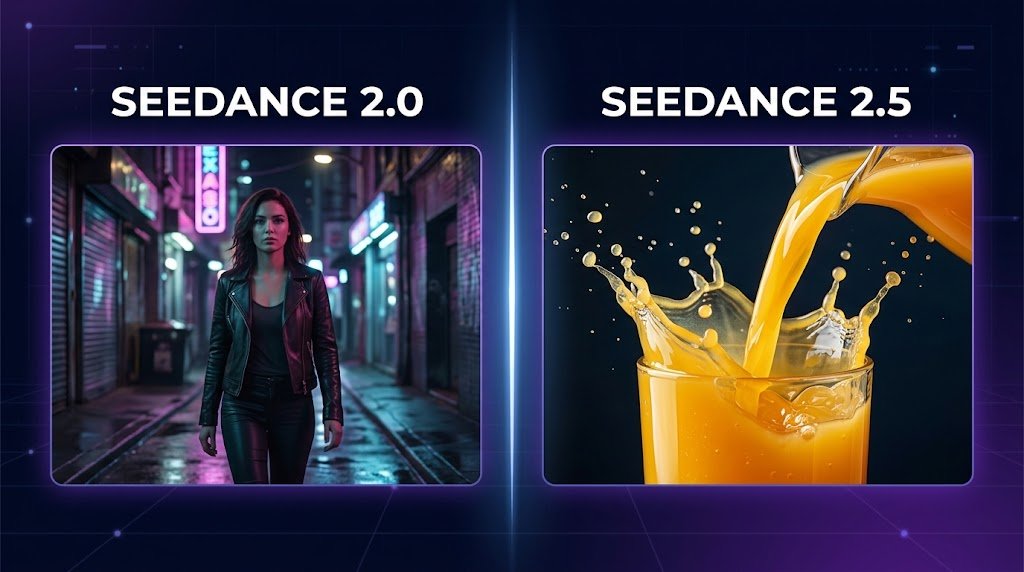
Update (October 2026): ByteDance officially launched Seedance 2.5 on July 31, 2026, with up to 30 seconds of joint audio and video per generation and up to 30 image, 10 video and 10 audio references (source). Model availability differs by platform; check the TextVidAI generator for the Seedance version currently offered.
Seedance is one of the most talked-about names in AI video right now, and the jump from version 2.0 to 2.5 wasn't a small update. Clip length doubled, the model can now work from far more reference images, and early reports across the AI video community suggest a real jump in how well it handles motion and continuity.
But "newer" doesn't automatically mean "right for your project." If you're choosing between Seedance 2.5 and 2.0 — or deciding whether either fits your workflow better than alternatives like Veo 3.1 or Kling 2.6 — here's a practical breakdown of where each model actually pulls ahead.
What Changed Between Seedance 2.0 and 2.5
At a high level, three things separate the two versions:
Clip length: 2.5 supports generations up to roughly 30 seconds, about double what 2.0 could reliably produce in one pass.
Reference images: 2.5 can take in far more reference images than 2.0, which matters most for brand assets, product shots, and recurring characters.
Motion and physics handling: 2.5 is generally reported to render more natural liquid, fabric, and object interactions, which is where earlier AI video models tend to break the illusion fastest.
None of that means 2.0 is obsolete. It's better described as a narrower tool that still wins specific jobs, which is exactly what the rest of this guide covers.
Where Seedance 2.5 Pulls Ahead
Character consistency across multiple shots. Keeping a face, outfit, and setting consistent across a multi-shot sequence is one of the hardest problems in AI video. Seedance 2.5 tends to hold onto these details — recognizable face, consistent accessories, matching styling — more reliably than 2.0, even though minor drift (a jacket style shifting slightly, for example) still shows up occasionally.
Physics and object interaction. Pouring liquids, moving fabric, and hands interacting with objects are classic stress tests for any text to video AI generator. 2.5 generally produces more believable splash, drape, and contact physics than 2.0, which makes it a stronger choice for product demos and close-up shots.
Longer, continuous sequences. If your prompt asks for a single unbroken shot lasting 20–30 seconds, 2.5 is far more likely to actually deliver the full duration instead of cutting the clip short. This matters most for narrative sequences and long-form product ads where you don't want to stitch several short generations together.
Where Seedance 2.0 Still Holds Its Own
Precise camera direction. When a prompt specifies an exact shot — a locked rear-follow tracking shot, a hard cut to a close-up — 2.0 tends to treat those instructions as fixed constraints rather than loose suggestions. For creators who storyboard shots deliberately, that reliability can matter more than raw visual polish.
Stylized and anime-style prompts. 2.0 is more willing to fully reinterpret a reference image to match a stylized aesthetic, which can produce a more convincingly "in-style" result. 2.5 tends to stay closer to the original subject, which is useful when you need a recognizable person or product to survive the style change, but less useful when the goal is a bigger visual transformation.
Cost per generation isn't always lower on 2.5. Credit usage varies by scene type — some tests show 2.5 costing more for simpler shots and less for complex, longer ones. It's worth testing your specific use case rather than assuming one model is universally cheaper.
So Which One Should You Use?
As a default, Seedance 2.5 is the stronger all-around pick — especially for character-driven content, product interaction shots, UGC-style videos, and anything approaching 30 seconds. Seedance 2.0 stays relevant for tightly directed camera work and heavy stylization where matching a specific aesthetic matters more than photorealistic accuracy.
The honest answer, though, is that most creators don't need to commit to just one model. Every project has a different job to do, and testing the same prompt across a few models is the fastest way to find out what actually works — which is the whole idea behind having multiple AI models in one place instead of locking into a single tool.
How to Test Seedance and Other Models Side by Side
Write one clear, detailed prompt — see our text to video prompt guide if you're not sure where to start.
Run the same prompt through Seedance and a comparable model like Kling 2.6 or Veo 3.1.
Compare character consistency, physics, and how closely each result follows your camera instructions.
Pick the model that fits the specific shot — not the one with the most hype.
On TextVidai, you can generate from text, image, or audio and let the platform route your prompt to the right model, or pick a specific one yourself — no need to juggle separate subscriptions for every AI video tool.
FAQ
Is Seedance 2.5 always better than Seedance 2.0?
No. 2.5 is the stronger choice for most jobs — longer clips, character consistency, and realistic physics — but 2.0 still performs better on precise camera direction and heavily stylized prompts.
Does Seedance 2.5 cost more credits than 2.0?
It depends on the scene. Longer, more complex generations can cost more on 2.5, but some simpler shots have actually come in cheaper than on 2.0. Test your specific prompt type before assuming either model is the cheaper option.
Can I use Seedance alongside other AI video models?
Yes. Most serious AI video workflows use more than one model depending on the shot. Platforms like TextVidai let you access Seedance alongside Veo 3.1, Kling 2.6, and other models from a single account.
What's the maximum clip length for Seedance 2.5?
Seedance 2.5 supports generations of up to roughly 30 seconds in a single continuous shot, about double what 2.0 reliably produced.