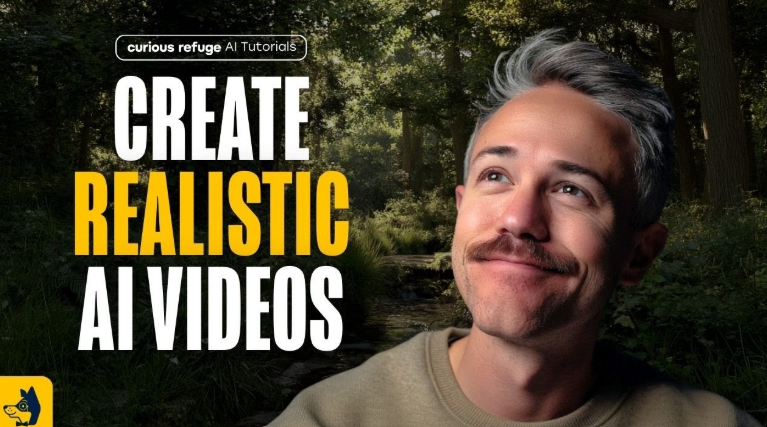
Artificial intelligence has made video creation easier than ever. You no longer need expensive cameras, professional equipment, or advanced editing skills to create impressive videos. With modern AI text-to-video generators, you can simply describe a scene in words and let artificial intelligence turn your idea into moving visuals.
However, creating realistic AI videos requires more than writing a few random sentences. The quality of your results depends on how clearly you describe the subject, environment, lighting, camera movement, and actions. In this beginner-friendly guide, you will learn how to write effective prompts and generate realistic videos using AI tools.
What Is AI Text-to-Video Generation?
AI text-to-video generation is a technology that converts written descriptions into video clips. You provide a prompt explaining what you want to see, and the AI model generates visuals based on your instructions.
For example, you could enter a description of a golden retriever running through a green park on a sunny afternoon. The AI generator interprets the scene and creates a video showing the requested action.
Modern platforms such as <a href="https://openai.com/sora/">OpenAI Sora</a>, <a href="https://deepmind.google/models/veo/">Google Veo</a>, and <a href="https://runwayml.com/">Runway</a> offer different approaches to AI video generation. Some focus on cinematic visuals, while others provide additional creative and editing features.
How to Write Effective AI Video Prompts
A detailed prompt helps an AI model understand your creative vision. Instead of writing a short description such as "a man walking," explain what the person looks like, where he is walking, and how the scene should appear.
A useful AI video prompt generally includes five important elements:
Subject: The person, animal, or object appearing in the video.
Action: What the subject is doing.
Environment: The location and surrounding details.
Lighting: The type of natural or artificial lighting.
Camera movement: How the camera captures the scene.
For example, instead of writing "a woman walking in a garden," try:
"A young woman wearing a white summer dress slowly walks through a beautiful flower garden during golden hour. Gentle sunlight illuminates the colorful flowers while a light breeze moves her hair. The camera smoothly follows her from behind, creating a realistic cinematic atmosphere."
This description provides much clearer instructions and gives the AI more information to work with.
Choose the Right AI Video Generator
Choosing a suitable platform can make your video creation process easier. Different generators offer different features, generation limits, and visual styles.
Here are three popular options:
OpenAI Sora: Useful for generating videos from descriptive prompts and exploring creative visual storytelling.
Google Veo: Offers advanced video generation capabilities with an emphasis on visual quality and cinematic results.
Runway: Provides AI video generation and creative tools that can support different video production workflows.
Before choosing a platform, compare its pricing, available features, video duration, resolution, and commercial-use policies. You can also explore TextVidai to discover AI video generation options and simplify your creative workflow.
Tips for Creating More Realistic AI Videos
If you want your generated videos to look natural, pay attention to small visual details. A simple scene with realistic movement often looks better than a complicated scene containing too many unrelated actions.
Here are some practical techniques:
Describe Natural Movements: Explain exactly how your subject should move. For example, describe someone slowly opening a door rather than simply asking them to interact with a room.
Use Specific Lighting Instructions: Words such as soft morning sunlight, golden-hour lighting, and natural window light help establish the appearance of your scene.
Include Camera Directions: Specify whether you want a close-up, wide shot, tracking shot, or slow camera movement.
Avoid Overcomplicated Prompts: Too many instructions can make your intended scene difficult to interpret. Focus on the most important visual elements.
Maintain Consistency: When creating multiple scenes featuring the same character, reuse their clothing, appearance, and other important visual details.
For additional guidance, check the official Runway Text-to-Video Prompting Guide.
Realistic AI Video Prompt Examples
Practicing with different prompts is one of the easiest ways to improve your results. Here are three examples you can customize for your own projects.
1. Cinematic Nature Video
"A peaceful green forest during early morning, golden sunlight passing through tall trees, a small deer walking naturally along a forest path, gentle wind moving the leaves, realistic wildlife documentary style, smooth camera movement."
2. Professional Product Video
"A premium black wristwatch placed on a polished marble surface, soft studio lighting reflecting across its metallic edges, slow cinematic camera movement, detailed product textures, luxury commercial photography style."
3. Realistic City Scene
"A busy city street at night after rainfall, colorful neon signs reflecting on wet roads, pedestrians walking naturally along the sidewalk, cars moving through the background, realistic urban atmosphere, cinematic camera style."
You can change the subjects, locations, and lighting conditions to create completely different videos.
Common Mistakes Beginners Should Avoid
Many beginners expect perfect results from their first generation. However, AI video generators sometimes produce unusual movements, inconsistent backgrounds, or unexpected visual details.
One common mistake is writing prompts that are too short. Another is combining multiple complicated actions into a very short video. Both can make it harder for the model to understand your expectations.
Instead, start with one clear scene and generate a short clip. Review the result and identify what needs improvement. If the lighting looks unnatural, adjust the lighting description. If the camera moves incorrectly, simplify the camera instructions.
You should also avoid changing character descriptions between connected scenes. Using reference images and consistent descriptions can help maintain a similar appearance when supported by your chosen platform.
Conclusion
Creating realistic AI videos from text prompts is an exciting opportunity for beginners, content creators, and businesses. You do not need professional filmmaking experience to get started. The key is learning how to describe subjects, actions, environments, lighting, and camera movements clearly.
Start with simple prompts, experiment with different AI video generators, and improve your descriptions based on the results. With regular practice and the right approach, you can turn ordinary written ideas into engaging AI-generated videos for social media, marketing, education, and creative storytelling.
Frequently Asked Questions
1. Can beginners create realistic AI videos from text?
Yes. Most modern AI video generators provide simple interfaces that allow beginners to create videos by entering written descriptions.
2. Which AI tools can generate videos from text?
Popular options include OpenAI Sora, Google Veo, and Runway. Their features, pricing, and availability vary.
3. How long should an AI video prompt be?
There is no fixed word limit. A good prompt should clearly explain the subject, action, environment, lighting, and camera direction without unnecessary details.
4. Why do AI-generated videos sometimes look unrealistic?
Unnatural movements, inconsistent objects, complicated instructions, and visual errors can affect realism. Improving your prompts and trying multiple generations can help.
5. Can I use AI-generated videos for commercial purposes?
Some platforms allow commercial use under specific conditions. Always review the individual platform's licensing terms, usage policies, and restrictions before publishing commercial content.